For Intervals.icu runners
Your Intervals.icu runs, on the ground you run them
Connect Intervals.icu once and your runs arrive in TrailSplits by themselves. TrailSplits finds the climbs and stretches you run again and again, shows each run section by section, and puts your own climbs beside the race you are training for. It is free.
Connect Intervals.icuYou sign in to TrailSplits, then approve the connection on Intervals.icu. Runs that reached Intervals.icu from Strava cannot be read (why). TrailSplits is independent: not made or endorsed by Intervals.icu.
What TrailSplits adds
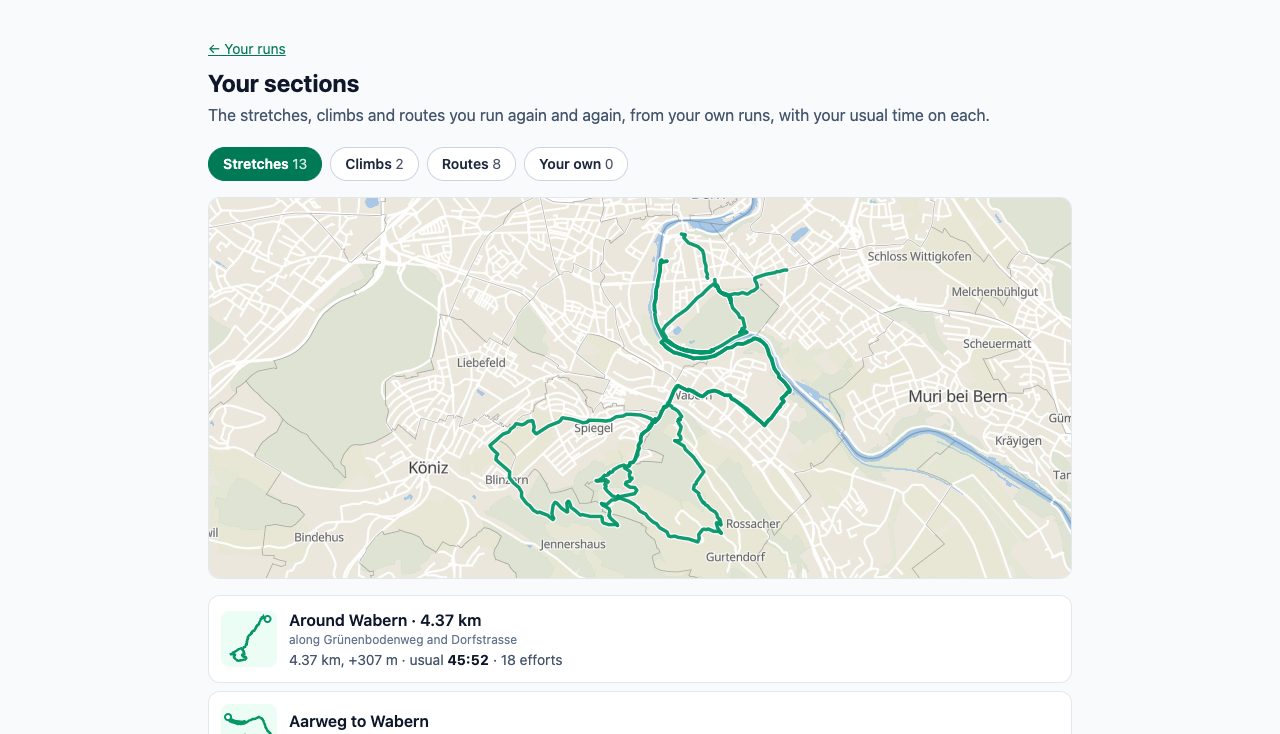
- Your sections: the stretches, climbs and routes you run again and again, found automatically and shown on a map with place names and your usual time on each. Sections you draw yourself are kept in your account, on every device.
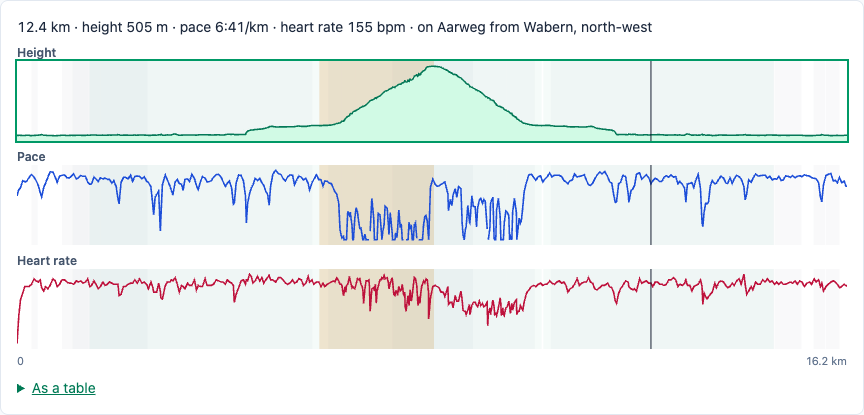
- Run debriefs: each run's climbs and descents, with its profile, pace and heart-rate charts on one shared cursor.
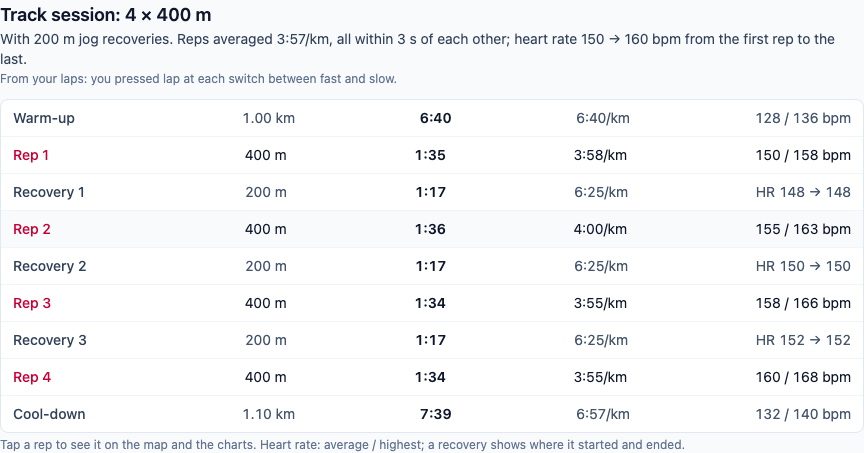
- Track sessions read from laps: a session shows as what it was, for example "Track session: 4 × 400 m".
- Race plans that know you: on a race page, your own recent climbs beside the race's key climb, and the race's demands against your last weeks.
- Your plan on your watch: if you allow it, the TrailSplits plan's next days appear in Intervals.icu as planned workouts, which its "Upload planned workouts" sends to your watch.
What is read, and why
- Your activities (Intervals.icu's ACTIVITY:READ permission): the runs themselves, to find your sections and debrief each run.
- Only if you allow it, asked separately: permission to write to your Intervals.icu calendar (CALENDAR:WRITE), so the plan's next eight days appear there as planned workouts. TrailSplits adds, updates and removes only workouts it placed itself; your own entries are never touched, and a workout you delete or move stays as you left it.
- Not read: your wellness data, settings or chats.
What is kept
- Your runs, in your TrailSplits history.
- Each run's original file (FIT), compressed, so it can be read again when the analysis improves. It is deleted with the run or with your account.
- An encrypted access key for the connection.
Your runs are visible only to you, and TrailSplits does not sell or share them. More on the privacy page.
Runs that came from Strava
Activities that reach Intervals.icu from Strava cannot be read by TrailSplits: Strava does not allow it, and Intervals.icu sends no notice for them. Let your watch sync to Intervals.icu directly, and those runs arrive here.
How runs arrive
New runs arrive by themselves after they reach Intervals.icu; earlier runs are brought in gradually in the background.
Free, and how to disconnect
It costs nothing. To disconnect, open your connections: that gives up the access at Intervals.icu, deletes the key, and removes TrailSplits' planned workouts from today on. The runs already synced stay in your history until you delete them.
Ready to see your runs section by section?
Connect Intervals.icu